How to – Add a New User (additional details section)
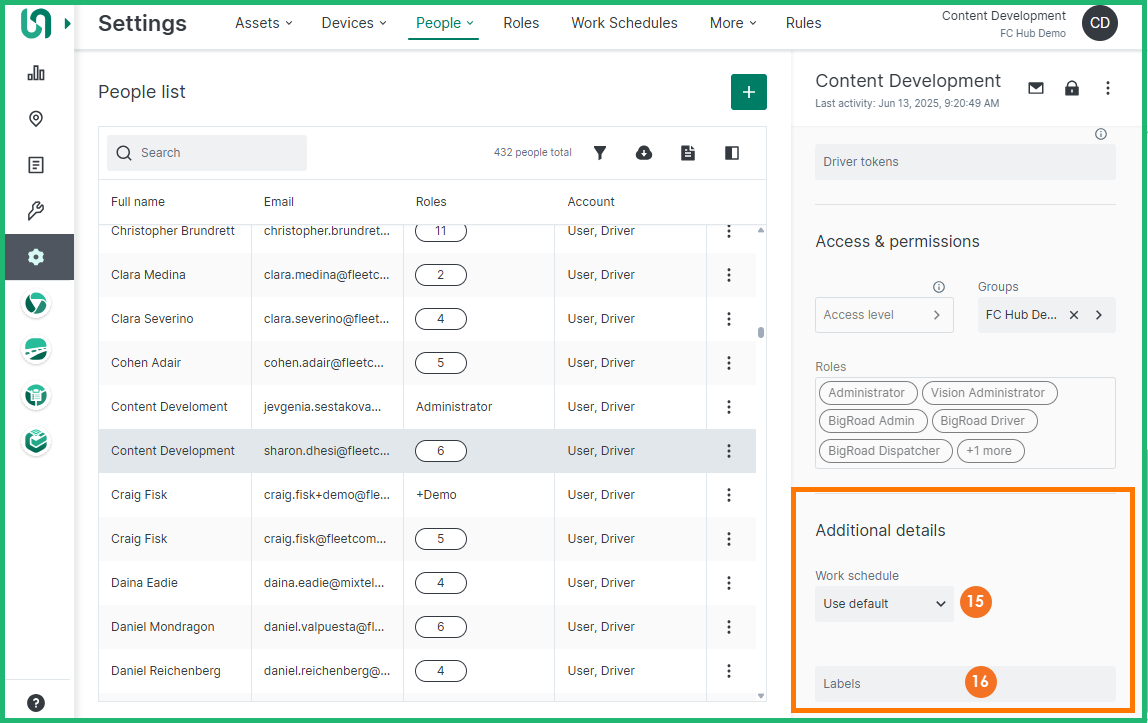
The Additional details section allows you to specify optional account details, such as work schedule and labels.
Follow the steps below to add a new account:
- From the Additional details section, click within the Work schedule field and select the desired work schedule to which you would like to assign this person
Note: Work schedules must be setup in advance in order to use customized schedules. The default work schedule is set to 9:00am to 5:00pm, 7 days a week.
- Click within the Labels field and select the desired labels that you would like to assign this person to.
Note: Labels must be setup in advance, they are a flexible way to organize your fleet, labels can be assigned to assets, people and geofences. For example: you can create labels to organize your staff based on office employees and drivers.
- Click the Save button
Note: Once you save a new person, the system will automatically send an email to the person with login instructions. The new person will also appear in the People list.
